Aula
F75
The Aula F75 is a feature-rich, compact 75% keyboard with strong value, flexible tri-mode connectivity, and satisfying typing, though its plastic build and limited software may not appeal to every buyer.
Summed up from 8 published reviews
Affiliate link · we may earn a commission

What reviewers like
- Tri-mode connectivity supports Bluetooth, 2.4GHz wireless, and wired USB-C. 3456
- Hot-swappable switches enable easy customization without soldering. 2345
- Gasket mounting delivers a comfortable, cushioned typing feel. 2345
- Large 4000mAh battery provides strong wireless endurance. 2345
- 75% layout saves desk space while retaining essential keys. 1346
Best for
Budget-conscious Windows users wanting a compact, customizable tri-mode keyboard.
Skip it if
You need full Mac shortcut support, advanced remapping, or a metal chassis.
Where it fits
- use
- GamesTyping & code
- size
- 75%
- feel
- Smooth
- connection
- Wireless
Specs
- Size
- 75%
- Switches
- Linear
- Best for
- Gaming, Typing
- Wireless
- Yes
- Hot-swap
- Yes
- Backlight
- RGB
Also worth a look
 AulaF75 ProThe Aula F75 Pro offers strong value and flexible connectivity, but reported quality-control problems and…
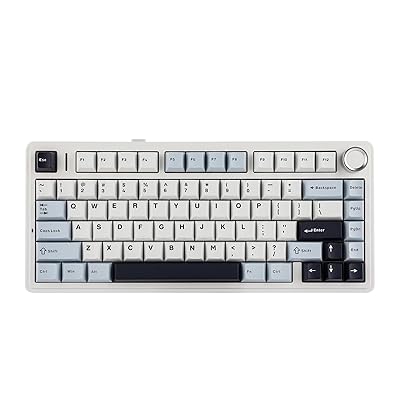 AulaF75 (Epomaker)A well-priced 75% keyboard offering strong typing, flexible connectivity, and hot-swappable switches, with…
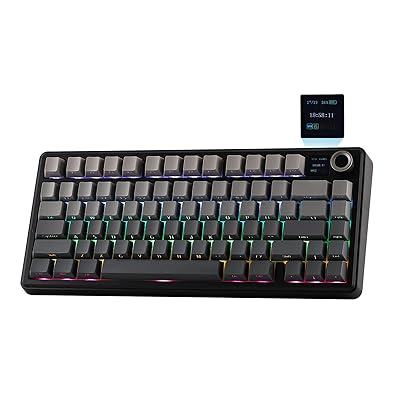 AulaF75 Max (Epomaker)A feature-rich 75% mechanical keyboard with strong sound, typing feel, connectivity, and battery life, though…
Questions
Is the Aula F75 worth it?
The Aula F75 is a feature-rich, compact 75% keyboard with strong value, flexible tri-mode connectivity, and satisfying typing, though its plastic build and limited software may not appeal to every buyer.
What do reviewers like about the Aula F75?
Tri-mode connectivity supports Bluetooth, 2.4GHz wireless, and wired USB-C. Hot-swappable switches enable easy customization without soldering. Gasket mounting delivers a comfortable, cushioned typing feel. Large 4000mAh battery provides strong wireless endurance. 75% layout saves desk space while retaining essential keys.
What are the downsides of the Aula F75?
Plastic chassis may feel less premium than metal alternatives. Software customization is limited and less intuitive than premium rivals. Light switches and soft bottom-out may not suit every typist. Mac users may face right-Command mapping and layout quirks.
Who should buy the Aula F75?
Budget-conscious Windows users wanting a compact, customizable tri-mode keyboard. Skip it if you need full Mac shortcut support, advanced remapping, or a metal chassis.
Sources
We don't test products ourselves. This page sums up 8 published reviews, read on October 21, 2026; each point above links to the reviews that make it.
- rtings.com AULA F99/F75 Keyboard Review
- igeekphone.com Aula F75 Review: The $70 Mechanical Keyboard Perfect in 2024?
- gizmochina.com Aula F75 Mechanical Keyboard Review: Great Value, Great Typing Experience - Gizmochina
- parkablogs.com Review: AULA F75 wireless mechanical keyboard | Parka Blogs
- primeaudio.org EPOMAKER X AULA F75 Review
- moviesgamesandtech.com Review: AULA F75 keyboard - Movies Games and Tech
- tech4gamers.com Epomaker x Aula F75 Review: A New Benchmark For Budget Keyboards
- youtube.com This $70 Keyboard Is PERFECT for Fortnite (AULA F75 Review)