Kinesis
Freestyle2
The Kinesis Freestyle2 provides comfortable, quiet split typing, but its wired membrane design, learning curve, and layout quirks limit some users.
Summed up from 4 published reviews
Affiliate link · we may earn a commission

What reviewers like
Best for
Writers, programmers, and desk workers seeking reduced shoulder tension
Skip it if
You need wireless, mechanical keys, macros, or a built-in numpad
Where it fits
- use
- Typing & codeOffice work
- size
- Split
- feel
- Low & quiet
- connection
- Wired
Specs
- Size
- Split
- Switches
- Membrane
- Best for
- Office, Typing
- Wireless
- No
- Hot-swap
- No
Also worth a look
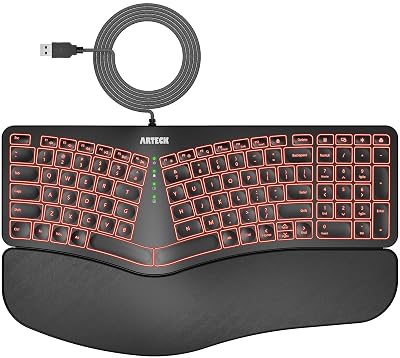 ArteckSplit Ergonomic WiredThe Arteck Split Ergonomic Wired is an affordable, comfortable keyboard with simple setup, but limited…
 KinesisFreestyle2 VIP3The Kinesis Freestyle2 VIP3 is an approachable, highly adjustable split keyboard that favors wrist-friendly…
 PerixxPeriboard-512A budget-friendly ergonomic keyboard offering quiet typing and useful shortcuts, but with a noticeable…
Questions
Is the Kinesis Freestyle2 worth it?
The Kinesis Freestyle2 provides comfortable, quiet split typing, but its wired membrane design, learning curve, and layout quirks limit some users.
What do reviewers like about the Kinesis Freestyle2?
Fully split design can reduce wrist and arm strain. Quiet, low-profile keys suit offices and shared workspaces. Standard QWERTY layout lets most users adapt quickly. Separate halves enable stable shoulder-width positioning for typing.
What are the downsides of the Kinesis Freestyle2?
Initial split layout requires muscle-memory retraining for some users. Wired USB design offers no wireless freedom or portability. Soft membrane switches feel less tactile than mechanical alternatives. Extra hotkeys and a missing numeric keypad complicate some workflows.
Who should buy the Kinesis Freestyle2?
Writers, programmers, and desk workers seeking reduced shoulder tension. Skip it if you need wireless, mechanical keys, macros, or a built-in numpad.
Sources
We don't test products ourselves. This page sums up 4 published reviews, read on October 21, 2026; each point above links to the reviews that make it.