Logitech
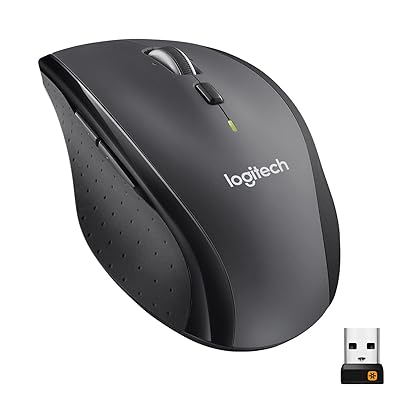
Signature M650
A budget-friendly, quiet productivity mouse with flexible connectivity, long battery life, and useful customization, but limited ergonomics and advanced features.
Summed up from 8 published reviews
Affiliate link · we may earn a commission

What reviewers like
- Near-silent clicks suit shared offices and quiet workspaces 3568
- Long single-AA battery life, commonly cited at 20 to 24 months 1356
- Bluetooth or USB receiver connectivity offers flexible pairing 1257
- Programmable side buttons add useful shortcuts and gestures 2367
- Affordable price, two sizes, and left-handed availability 1236
Best for
Quiet office productivity, travel, students, and left-handed users.
Skip it if
You need full ergonomic support, multi-device switching, or advanced gaming controls.
Where it fits
- hand
- Right
- use
- Everyday
- buttons
- Two
- connection
- Wireless
Specs
- Type
- Everyday
- Hand
- Right hand
- Side buttons
- Standard
- Wireless
- Yes
- Size
- Small
Also worth a look
 LogitechM705 MarathonThe M705 is a comfortable, right-handed wireless mouse with long battery life, useful customization, and…
 LogitechMX Anywhere 3A premium, compact productivity mouse with excellent scrolling and multi-device convenience, but limited…
 LogitechM720 TriathlonThe M720 Triathlon is a comfortable, customizable multi-device mouse for productivity work, with long claimed…
Questions
Is the Logitech Signature M650 worth it?
A budget-friendly, quiet productivity mouse with flexible connectivity, long battery life, and useful customization, but limited ergonomics and advanced features.
What do reviewers like about the Logitech Signature M650?
Near-silent clicks suit shared offices and quiet workspaces. Long single-AA battery life, commonly cited at 20 to 24 months. Bluetooth or USB receiver connectivity offers flexible pairing. Programmable side buttons add useful shortcuts and gestures. Affordable price, two sizes, and left-handed availability.
What are the downsides of the Logitech Signature M650?
The narrow shape offers limited support for long or heavy use. It lacks multi-device switching, extensive macros, and gaming features. Glass tracking is weaker, and there is no DPI button. Some plastics feel budget-grade, while grips may wear over time.
Who should buy the Logitech Signature M650?
Quiet office productivity, travel, students, and left-handed users. Skip it if you need full ergonomic support, multi-device switching, or advanced gaming controls.
Sources
We don't test products ourselves. This page sums up 8 published reviews, read on October 21, 2026; each point above links to the reviews that make it.
- pcmag.com Logitech Signature M650 Review
- tomsguide.com Logitech Signature M650 wireless mouse review | Tom's Guide
- zdnet.com Logitech Signature M650 review: A silent mouse that speaks volumes | ZDNET
- rtings.com Logitech Signature M650 Review - RTINGS.com
- theregister.com Logitech Signature M650: A mouse that will barely emit a squeak or a clickety-click
- notebookcheck.net
- compsmag.com Logitech Signature M650 review 2024: great wireless mouse
- the-gadgeteer.com Logitech Signature M650 wireless mouse review - your silent partner - The Gadgeteer