WAVLINK
Thunderbolt 4 Dock
WAVLINK Thunderbolt 4 Dock offers exceptional value with abundant ports, strong charging, and multi-monitor support, but suffers from sleep/wake glitches, slow storage speeds, and limited Thunderbolt expansion.
Summed up from 7 published reviews
Affiliate link · we may earn a commission

What reviewers like
Best for
Users needing affordable multi-monitor dock with high power delivery
Skip it if
You require reliable sleep/wake, fast storage, or multiple Thunderbolt devices
Where it fits
- laptop
- MacBookWindows laptop
- monitors
- OneTwo
- must-haves
- Charges the laptop4K at 60 HzEthernetSD card reader
Specs
- Monitors
- 2
- Best resolution
- 5K and up
- Laptop charging
- 96W
- Kind
- Dock (own power supply)
- Connects by
- Thunderbolt / USB4
- Ethernet
- Yes
- SD card reader
- Yes
- DisplayLink (needs a driver)
- No
Also worth a look
 PlugableThunderbolt 4 DockThe Plugable Thunderbolt 4 Dock offers extensive connectivity and multi-display support at a competitive…
 Plugable14-in-1 Thunderbolt DockVersatile 14-port Thunderbolt dock with dual 4K support and high power delivery, but pricey and requires…
 TobenONEMacBook Docking Station StandStrong all-in-one dock for Pro/Max MacBooks needing dual 4K displays and charging, but base M-series models…
 TobenONE18-in-2 Docking StationA feature-rich MacBook dock with multi-monitor support and high power delivery, but limited by DisplayLink…
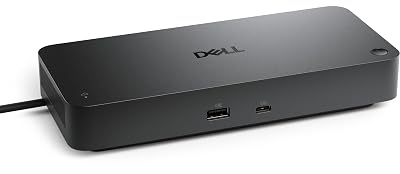 DellPro Thunderbolt 4 Smart Dock SD25TB4Enterprise-grade Thunderbolt 4 dock with strong multi-display and management features, best for Dell fleets.
 UGREEN8-in-1 Thunderbolt 4 DockVersatile Thunderbolt 4 hub with strong performance and charging, but limited built-in video and audio ports.
Questions
Is the WAVLINK Thunderbolt 4 Dock worth it?
WAVLINK Thunderbolt 4 Dock offers exceptional value with abundant ports, strong charging, and multi-monitor support, but suffers from sleep/wake glitches, slow storage speeds, and limited Thunderbolt expansion.
What do reviewers like about the WAVLINK Thunderbolt 4 Dock?
Affordable price with excellent value. 13+ ports including 2.5Gb Ethernet and dual HDMI 2.1. Up to 98W laptop charging via Thunderbolt 4. Sturdy aluminum chassis with clear port labeling. Drives dual 4K displays; triple possible via DisplayLink.
What are the downsides of the WAVLINK Thunderbolt 4 Dock?
Sleep/wake glitches and display re-connection issues. Slow storage transfer speeds compared to PCIe docks. Single downstream Thunderbolt 4 port limits daisy-chaining. Front-mounted upstream port complicates cable management.
Who should buy the WAVLINK Thunderbolt 4 Dock?
Users needing affordable multi-monitor dock with high power delivery. Skip it if you require reliable sleep/wake, fast storage, or multiple Thunderbolt devices.
Sources
We don't test products ourselves. This page sums up 7 published reviews, read on October 24, 2026; each point above links to the reviews that make it.
- pcworld.com Wavlink Thunderbolt 4 Dock (UTD45) review: Lovely yet quirky | PCWorld
- macworld.com Wavlink Thunderbolt 4 Triple Display Docking Station review | Macworld
- techradar.com Wavlink Thunderbolt 4 Triple Display Dock review | TechRadar
- cultofmac.com Cheap Thunderbolt 4 dock connects peripherals for less | Cult of Mac
- ngxptech.com WAVLINK Thunderbolt 4 Triple Display Dock Review: Best USB-C Dock for 4K Monitors & Fast Charging - NGXP Tech
- johngalea.wordpress.com Thunderbolt 4 Dock WAVLINK Docking Station « John Galea's Blog
- youtube.com Wavlink Thunderbolt 4 Dock Review