Logitech
MX Master 3S Bluetooth
The Logitech MX Master 3S Bluetooth is a premium productivity mouse with superb ergonomics, advanced scrolling, and extensive customization, best for multi-device workflows but less suited for gaming or left-handed users.
Summed up from 8 published reviews
Affiliate link · we may earn a commission

What reviewers like
Best for
Productivity professionals needing multi-device ergonomics and customization
Skip it if
Gamers or left-handed users wanting lightweight ambidextrous mouse
Where it fits
- hand
- Right
- use
- Everyday
- weight
- Solid
- buttons
- A few more
- connection
- Wireless
Specs
- Type
- Everyday
- Weight
- 141 g
- Hand
- Right hand
- Side buttons
- Extra side buttons
- Wireless
- Yes
- Size
- Large
Also worth a look
 LogitechMX Master 2SThe MX Master 2S is a premium, right-handed productivity mouse excelling at multi-computer workflows…
 LogitechMX Master 3SA premium productivity mouse with excellent ergonomics, standout scrolling, extensive customization, and…
 LogitechMX Master 4The MX Master 4 is a premium productivity mouse focused on comfort, customization, quiet operation, and…
 Logitech GG502 LightspeedA feature-rich wireless gaming mouse with strong tracking, comfort, customization, and battery life, but…
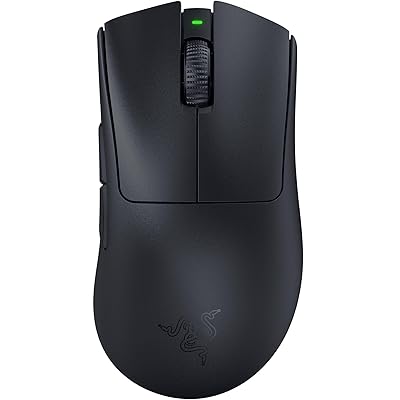 RazerDeathAdder V3 ProA lightweight, comfortable wireless gaming mouse with precise performance, premium pricing, and reduced…
 RazerViper V3 Pro SEThe Viper V3 Pro SE preserves flagship-level core performance at a lower entry price, but its highest polling…
Questions
Is the Logitech MX Master 3S Bluetooth worth it?
The Logitech MX Master 3S Bluetooth is a premium productivity mouse with superb ergonomics, advanced scrolling, and extensive customization, best for multi-device workflows but less suited for gaming or left-handed users.
What do reviewers like about the Logitech MX Master 3S Bluetooth?
Excellent ergonomics and comfort for extended use. MagSpeed scroll wheel with smooth/ratchet modes. Highly customizable via Logi Options+ software. Multi-device pairing up to three devices. Quiet clicks (90% quieter than predecessor).
What are the downsides of the Logitech MX Master 3S Bluetooth?
Heavy and bulky (141g), not for gaming. Right-handed only, unsuitable for left-handed users. Bottom device-switch button inconvenient; some buttons awkward. Software lacks onboard memory and can be unresponsive.
Who should buy the Logitech MX Master 3S Bluetooth?
Productivity professionals needing multi-device ergonomics and customization. Skip it if gamers or left-handed users wanting lightweight ambidextrous mouse.
Sources
We don't test products ourselves. This page sums up 8 published reviews, read on October 23, 2026; each point above links to the reviews that make it.
- tomshardware.com Logitech MX Master 3S Mouse Review: King of Wireless Productivity | Tom's Hardware
- macworld.com Logitech MX Master 3S review | Macworld
- techgearlab.com Logitech MX Master 3S Review | Tested & Rated
- trustedreviews.com Logitech MX Master 3S Review | Trusted Reviews
- dexerto.com Logitech MX Master 3S review: Great for productivity but too big for gaming - Dexerto
- binaryfork.com Logitech MX Master 3S review: good office mouse, but with ...
- achorao.com Logitech MX Master 3S Bluetooth Edition: qué cambia frente al 3S | Achorao
- tweakers.net Logitech MX Master 3S, Bluetooth/RF, Grafiet - ikt - Product reviews - Tweakers