Best curved monitors
A curved monitor bends the edges of the screen toward you, so the corners stay in view at about the same distance as the centre. The curve matters most on wide screens: 32 inches and up, and ultrawides. The figure on the box, such as 1500R or 1000R, is the radius in millimetres; the smaller the number, the tighter the curve.
Quick answer The LG UltraGear 45GX950A-B is our top pick, followed by the Alienware AW3423DWF and MSI MPG 341CQR X36.
Affiliate links · we may earn a commission


Top pick
LG UltraGear 45GX950A-B
45″ 5K2K 165 Hz OLED curved ultrawide, 90 W USB-C
- A curved screen
- Size
- 45″
- Resolution
- 4K
- Refresh rate
- 165 Hz
- Panel
- OLED
- Curved
- Yes
- USB-C
- Yes, charges at 90W
PriceToday's price on AmazonView on Amazon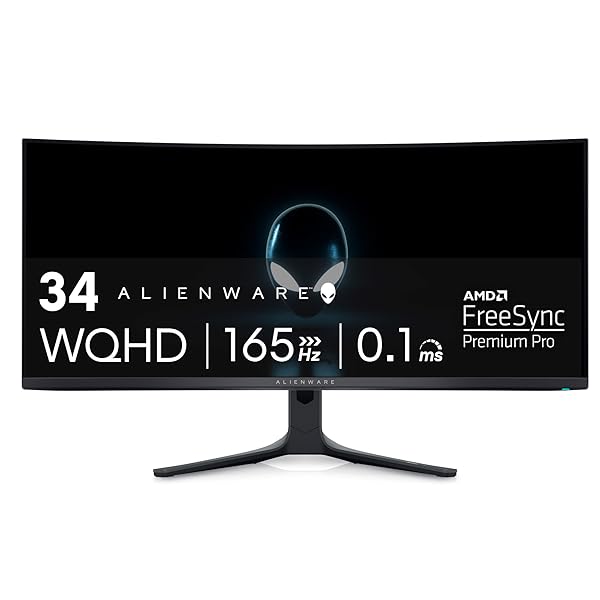
Alienware AW3423DWF
34″ 165 Hz QD-OLED curved ultrawide
- A curved screen
- Size
- 34″
- Refresh rate
- 165 Hz
- Panel
- OLED
- Curved
- Yes
- USB-C
- No
- HDMI 2.1
- No
PriceToday's price on AmazonView on Amazon
MSI MPG 341CQR X36
34″ 3440×1440 360 Hz QD-OLED curved ultrawide
- A curved screen
- Size
- 34″
- Resolution
- 1440p
- Refresh rate
- 360 Hz
- Panel
- OLED
- Curved
- Yes
- USB-C
- Yes, charges at 98W
PriceToday's price on AmazonView on Amazon
Alienware AW3425DWM
34″ 3440×1440 180 Hz curved ultrawide
- A curved screen
- Size
- 34″
- Resolution
- 1440p
- Refresh rate
- 180 Hz
- Curved
- Yes
- USB-C
- No
- HDMI 2.1
- No
PriceToday's price on AmazonView on Amazon
Budget pick
Sceptre C248W-1920RN
24″ 1080p curved monitor with built-in speakers
- A curved screen
- Size
- 24″
- Resolution
- 1080p
- Refresh rate
- 75 Hz
- Curved
- Yes
- USB-C
- No
- HDMI 2.1
- No
PriceToday's price on AmazonView on Amazon
Sceptre C275W-1920RN
27″ 1080p 100 Hz curved monitor with speakers
- A curved screen
- Size
- 27″
- Resolution
- 1080p
- Refresh rate
- 100 Hz
- Curved
- Yes
- USB-C
- No
- HDMI 2.1
- No
PriceToday's price on AmazonView on Amazon
Samsung Essential S3 S36GD
27″ 1080p curved monitor
- A curved screen
- Size
- 27″
- Resolution
- 1080p
- Refresh rate
- 100 Hz
- Curved
- Yes
- USB-C
- No
- HDMI 2.1
- No
PriceToday's price on AmazonView on Amazon
KOORUI 24″ Curved 180Hz
24″ 1080p 180 Hz curved gaming monitor
- A curved screen
- Size
- 24″
- Resolution
- 1080p
- Refresh rate
- 180 Hz
- Curved
- Yes
- USB-C
- No
- HDMI 2.1
- No
PriceToday's price on AmazonView on Amazon
SANSUI 34″ Curved Ultrawide 200Hz
34″ 3440×1440 200 Hz VA curved ultrawide
- A curved screen
- Size
- 34″
- Resolution
- 1440p
- Refresh rate
- 200 Hz
- Panel
- VA
- Curved
- Yes
- USB-C
- No
PriceToday's price on AmazonView on Amazon
SANSUI 27″ Curved 160Hz
27″ 1080p 160 Hz curved gaming monitor
- A curved screen
- Size
- 27″
- Resolution
- 1080p
- Refresh rate
- 160 Hz
- Curved
- Yes
- USB-C
- No
- HDMI 2.1
- No
PriceToday's price on AmazonView on Amazon
Compare the top picks
| Model | Size | Resolution | Refresh rate | Curved | USB-C |
|---|---|---|---|---|---|
| LG UltraGear 45GX950A-B | 45″ | 4K | 165 Hz | Yes | Yes, charges at 90W |
| Alienware AW3423DWF | 34″ | – | 165 Hz | Yes | No |
| MSI MPG 341CQR X36 | 34″ | 1440p | 360 Hz | Yes | Yes, charges at 98W |
| Alienware AW3425DWM | 34″ | 1440p | 180 Hz | Yes | No |
| Sceptre C248W-1920RN | 24″ | 1080p | 75 Hz | Yes | No |
| Sceptre C275W-1920RN | 27″ | 1080p | 100 Hz | Yes | No |
| Samsung Essential S3 S36GD | 27″ | 1080p | 100 Hz | Yes | No |
| KOORUI 24″ Curved 180Hz | 24″ | 1080p | 180 Hz | Yes | No |
| SANSUI 34″ Curved Ultrawide 200Hz | 34″ | 1440p | 200 Hz | Yes | No |
| SANSUI 27″ Curved 160Hz | 27″ | 1080p | 160 Hz | Yes | No |
What to look for
What the curve rating means
A rating like 1800R means the screen curves as if it were part of a circle with an 1,800 mm radius, so smaller numbers are tighter: 1000R curves more than 1800R. Tight curves suit large ultrawides you sit close to; on a 24 or 27-inch screen, a gentle curve or a flat panel is usually best.
Curves suit wide screens most
On a 34 or 49-inch ultrawide, the edges of a flat panel sit far from your eyes; a curve brings them back into view. That's why nearly all ultrawides are curved. On a standard 16:9 monitor under 32 inches, the benefit is small.
Watch for glare and desk depth
A curved screen can catch reflections from lamps and windows across a wider area, so a matte finish helps in bright rooms. Large curved monitors also need more desk depth: check the stand's footprint, or plan for a monitor arm rated for curved screens.
How we picked
We compared 136 monitors with real Amazon listings and kept the 37 that meet all of this:
- A curved screen
Every pick fits, so the order is about what to look at first. Models that independent reviewers recommend come first, the most often recommended at the top. The rest follow, best known and best liked first, with the newest model of a line ahead of older ones. No brand pays to be listed or placed higher. Prices change daily, so we never print one; Amazon shows today's price.
Reviews we drew on
We don't test products ourselves. These published roundups recommend picks on this list:
- pcworld.com Best gaming monitors 2026: Displays that will do your ...
- tomshardware.com Best Gaming Monitors 2026: Budget, Curved, G-Sync and More
- tomsguide.com The best monitors of 2026: Our top picks built for work and gaming
- techradar.com The best ultrawide monitors in 2026: our top picks for next-level immersion for work and gaming
Questions
Is a curved monitor worth it?
On an ultrawide, yes for most people: the curve keeps the far edges in view and adds immersion in racing, flight and open-world games. On a 24 or 27-inch screen the benefit is small, and for competitive games flat panels are just as good and more common.
Is a curved monitor better for your eyes?
A curve keeps all of a wide screen at a more even distance, so your eyes refocus less when you look at the edges, and some people find that more comfortable. There's no strong evidence it reduces eye strain on its own; brightness, distance and breaks matter more.
Are curved monitors good for office work?
Curved ultrawides are popular for work because one seamless screen replaces two monitors. For design and CAD work, where straight lines need to look straight, many people prefer flat screens.
Can you mount a curved monitor on an arm?
Yes, most curved monitors have VESA mounting holes. Check the weight and size limits of the arm or bracket, since large curved screens are heavy and sit further out from the mount.
Are these links sponsored?
Links to Amazon may earn Build Your Setup a commission. It does not change what you pay, and no brand pays to be listed or placed higher.