Desk setup: the essentials and accessories worth adding
A great desk setup is less about matching aesthetics and more about a few pieces that fit you: the right desk and chair, a screen at eye level, input devices you like using, and good light. Start with the essentials, then add accessories. Each item below shows what independent reviewers recommend most right now.
Affiliate links · we may earn a commission

Essential
A desk
Width for your screens and depth to sit back from them. Standing desks add flexibility; L-shaped desks give room for two work zones.
Top pick: AODK L-Shaped Desk 53″ · Full list: Best home office desks
PriceToday's price on AmazonView on Amazon
Essential
A chair that fits
Seat height, depth and lumbar support that suit your body make every hour at the desk easier.
Top pick: Branch Ergonomic Chair · Full list: Best ergonomic office chairs
PriceToday's price on AmazonView on Amazon
Essential
A monitor
The centrepiece of the setup. 27-inch 1440p suits most desks; 4K suits sharp text and photo work; ultrawides suit wide desks.
Top pick: Dell UltraSharp U3225QE · Full list: Best monitors for work
PriceToday's price on AmazonView on Amazon
Essential
A keyboard you enjoy typing on
Compact layouts free space for the mouse; mechanical switches change the feel more than anything else.
Top pick: Keychron K2 HE · Full list: Best 75 percent keyboards
PriceToday's price on AmazonView on Amazon
Essential
A mouse that fits your hand
Comfort and shape matter more than features for daily use.
Top pick: Logitech MX Master 4 · Full list: Best wireless mice
PriceToday's price on AmazonView on Amazon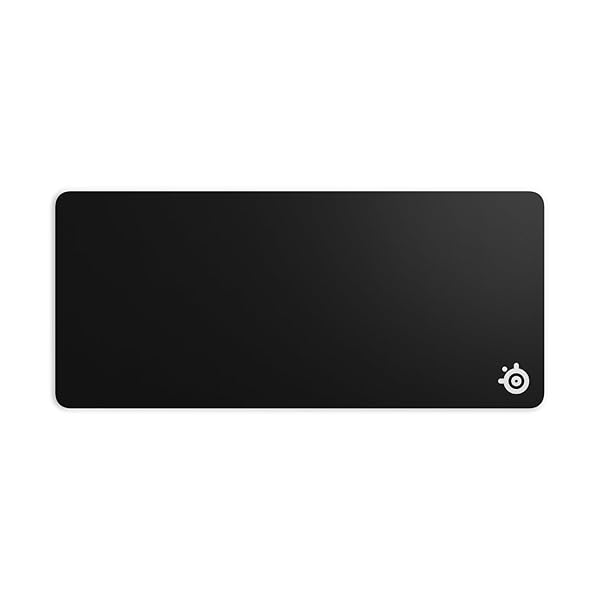
Upgrade
A desk mat or large mouse pad
Covers the desk, protects it and gives the mouse a consistent surface.
Top pick: SteelSeries QcK XXL · Full list: Best XXL mouse pads
PriceToday's price on AmazonView on Amazon
Upgrade
A monitor light bar
Lights the desk without screen glare and takes no desk space.
Top pick: BenQ ScreenBar Halo 2 · Full list: Best monitor light bars
PriceToday's price on AmazonView on Amazon
Upgrade
A monitor arm
Frees the desk surface and sets the screen at exactly the right height.
Top pick: Ergotron LX Dual Side-by-Side Arm · Full list: Best dual monitor arms
PriceToday's price on AmazonView on Amazon
Upgrade
Desktop speakers
Good small speakers beat built-in monitor speakers by a wide margin for music and video.
Top pick: Creative Pebble Pro · Full list: Best computer speakers
PriceToday's price on AmazonView on Amazon
How to set it up
Start with the desk and chair
Get the heights right first: feet flat, elbows at about a right angle at the desk. Everything else sits on top of this.
Place the screen
Centre the main monitor in front of you at arm's length with the top at or slightly below eye level. An arm makes this easy on any desk.
Leave room to move the mouse
Keep the keyboard close and centred and give the mouse a wide clear zone; a compact keyboard helps on smaller desks.
Light it without glare
A monitor light bar or a lamp to the side lights the desk without reflecting off the screen.
Hide the cables
Route cables down one desk leg into a tray under the desk. A dock or USB-C monitor cuts the number of cables to the laptop to one.
Mistakes to avoid
- Buying accessories before the desk, chair and monitor fit you.
- A monitor too low or too close, which strains your neck and eyes.
- A full-size keyboard on a small desk that leaves no room for the mouse.
- A bright window behind the monitor, which makes the screen look dim.
Questions
What are the essentials for a desk setup?
A desk and chair that fit you, a monitor at eye level, a keyboard and mouse you like, and good lighting. Accessories such as a desk mat, monitor arm and light bar come after those.
How do I set up a desk with a laptop and monitor?
Put the monitor straight ahead at eye level and the laptop on a stand beside it as a second screen, with an external keyboard and mouse in front of you. A dock connects it all with one cable.
What desk setup accessories are worth it?
A monitor arm, a large desk mat, a monitor light bar and a cable tray give the biggest improvement in comfort and tidiness for the money.
How do I make a small desk setup work?
Use a compact or tenkeyless keyboard, mount the monitor on an arm, and keep only what you use daily on the desk. Small standing desks and wall shelves add room without a bigger footprint.
Is there a desk setup builder?
Build Your Setup's finders work like one: answer a few questions for each piece, such as desks, chairs, monitors or microphones, and see the gear that fits you, ranked by how often independent reviewers recommend it.
We don't test products ourselves: each pick is the one independent reviewers recommend most in our matching buying guide, and changes as their recommendations do.