Best wireless mechanical keyboards
A wireless mechanical keyboard gives you mechanical switches without a cable across the desk. Most connect three ways: a 2.4 GHz dongle for low lag in games, Bluetooth for laptops and tablets, and a USB-C cable that also charges it. Battery life depends most on the backlight, so check the figure with the lights on.
Quick answer The Razer Pro Type Ultra is our top pick, followed by the ASUS ROG Strix Scope II 96 and Keychron V5 Max.
Affiliate links · we may earn a commission


Top pick
Razer Pro Type Ultra
Silent linear wireless office keyboard
- Wireless
- Size
- Full size
- Switches
- Linear
- Best for
- Office, Typing
- Wireless
- Yes
- Hot-swap
- No
PriceToday's price on AmazonView on Amazon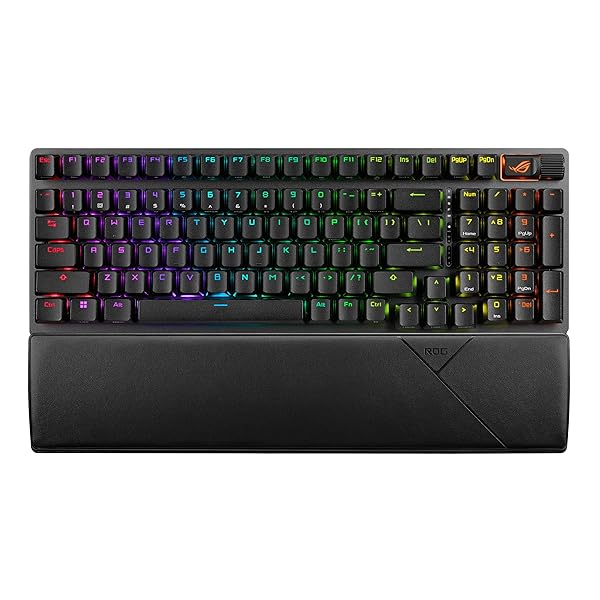
ASUS ROG Strix Scope II 96
96% wireless, hot-swap NX Snow linear, RGB
- Wireless
- Size
- Full size
- Switches
- Linear
- Best for
- Gaming, Typing
- Wireless
- Yes
- Hot-swap
- Yes
- Backlight
- RGB
PriceToday's price on AmazonView on Amazon
Keychron V5 Max
96% wireless QMK, hot-swap Banana tactile
- Wireless
- Size
- Full size
- Switches
- Tactile
- Best for
- Gaming, Office, Typing
- Wireless
- Yes
- Hot-swap
- Yes
- Backlight
- RGB
PriceToday's price on AmazonView on Amazon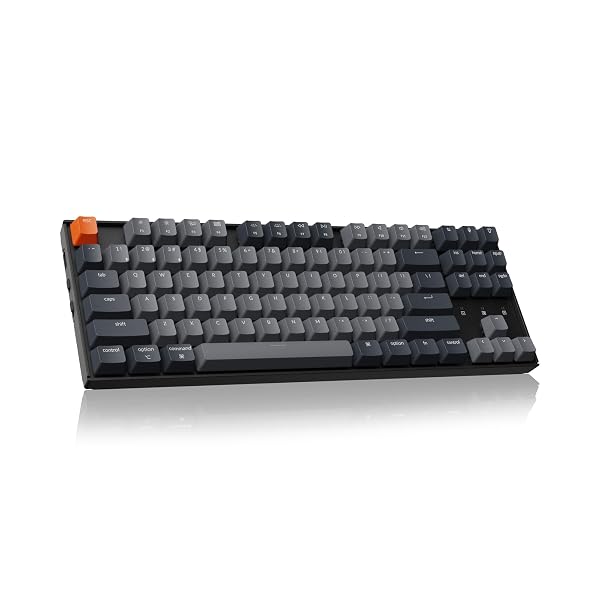
Budget pick
Keychron K8
TKL wireless mechanical, brown switches
- Wireless
- Size
- Tenkeyless
- Switches
- Tactile
- Best for
- Gaming, Office, Typing
- Wireless
- Yes
- Hot-swap
- No
PriceToday's price on AmazonView on Amazon
Keychron V6 Max
Full-size wireless QMK, hot-swap Gateron brown
- Wireless
- Size
- Full size
- Switches
- Tactile
- Best for
- Gaming, Office, Typing
- Wireless
- Yes
- Hot-swap
- Yes
- Backlight
- RGB
PriceToday's price on AmazonView on Amazon
Lemokey P1 HE
75% wireless Hall effect board with knob
- Wireless
- Size
- 75%
- Switches
- Magnetic
- Best for
- Gaming
- Wireless
- Yes
- Hot-swap
- Yes
- Backlight
- RGB
PriceToday's price on AmazonView on Amazon
Keychron K2 HE
75% wireless magnetic, rapid trigger, wood
- Wireless
- Size
- 75%
- Switches
- Magnetic
- Best for
- Gaming
- Wireless
- Yes
- Hot-swap
- Yes
- Backlight
- RGB
PriceToday's price on AmazonView on Amazon
Keychron V5 Ultra 8K
96% wireless board, 8K polling, hot-swap
- Wireless
- Size
- Full size
- Switches
- Tactile
- Best for
- Typing, Gaming
- Wireless
- Yes
- Hot-swap
- Yes
- Backlight
- RGB
PriceToday's price on AmazonView on Amazon
Keychron Q1 Max
75% wireless aluminum board with knob
- Wireless
- Size
- 75%
- Switches
- Tactile
- Best for
- Typing, Gaming
- Wireless
- Yes
- Hot-swap
- Yes
- Backlight
- RGB
PriceToday's price on AmazonView on Amazon
Aula F75 Pro
75% wireless gasket board with knob, hot-swap
- Wireless
- Size
- 75%
- Switches
- Linear
- Best for
- Gaming, Typing
- Wireless
- Yes
- Hot-swap
- Yes
- Backlight
- RGB
PriceToday's price on AmazonView on Amazon
Compare the top picks
| Model | Size | Switches | Best for | Wireless | Hot-swap |
|---|---|---|---|---|---|
| Razer Pro Type Ultra | Full size | Linear | Office, Typing | Yes | No |
| ASUS ROG Strix Scope II 96 | Full size | Linear | Gaming, Typing | Yes | Yes |
| Keychron V5 Max | Full size | Tactile | Gaming, Office, Typing | Yes | Yes |
| Keychron K8 | Tenkeyless | Tactile | Gaming, Office, Typing | Yes | No |
| Keychron V6 Max | Full size | Tactile | Gaming, Office, Typing | Yes | Yes |
| Lemokey P1 HE | 75% | Magnetic | Gaming | Yes | Yes |
| Keychron K2 HE | 75% | Magnetic | Gaming | Yes | Yes |
| Keychron V5 Ultra 8K | Full size | Tactile | Typing, Gaming | Yes | Yes |
| Keychron Q1 Max | 75% | Tactile | Typing, Gaming | Yes | Yes |
| Aula F75 Pro | 75% | Linear | Gaming, Typing | Yes | Yes |
What to look for
2.4 GHz for games, Bluetooth for devices
Tri-mode keyboards connect with a USB dongle, Bluetooth or a cable. Use the 2.4 GHz dongle for games: for most people it is as responsive as a cable. Bluetooth adds a little lag but lets you switch between a laptop, a tablet and a phone with one key.
Battery life depends on the lights
With the backlight off, many wireless mechanical boards run for weeks or months on a charge; with full RGB that can drop to a few days. Check the maker's figures with lighting on and off, and look for USB-C charging so you can keep typing while it charges.
Mac and Windows support
Many wireless boards ship with Mac and Windows keycaps and a switch to change layouts, which matters if you pair one with both kinds of computer. Remapping software such as VIA, or the maker's own app, lets you move keys if the layout doesn't suit you.
How we picked
We compared 232 keyboards with real Amazon listings and kept the 55 that meet all of this:
- Wireless
Every pick fits, so the order is about what to look at first. Models that independent reviewers recommend come first, the most often recommended at the top. The rest follow, best known and best liked first, with the newest model of a line ahead of older ones. No brand pays to be listed or placed higher. Prices change daily, so we never print one; Amazon shows today's price.
Reviews we drew on
We don't test products ourselves. These published roundups recommend picks on this list:
- uk.pcmag.com The Best Mechanical Keyboards for 2026
- tomshardware.com Best Wireless Keyboards 2026: Our Tested Picks for Gaming, Typing, and Traveling
- nytimes.com The 6 Best Mechanical Keyboards of 2026
- tomshardware.com Mechanical Keyboard Reviews, Analysis and Buying Guides
- tomsguide.com The best wireless keyboard in 2026: Tested by experts
- pcgamer.com Best mechanical keyboards in 2026: The clacky boards I'd buy in a heartbeat
- rtings.com The 6 Best Gaming Keyboards of 2026
- digitaltrends.com I found five mechanical keyboards I’d happily recommend for Back-to-School
Questions
Are wireless mechanical keyboards good for gaming?
Yes, over a 2.4 GHz dongle: reviewers measure many of them as responsive as wired keyboards. Avoid Bluetooth in fast games, since it adds noticeable delay, and keep the board charged or plugged in for long sessions.
Should I get a wired or wireless mechanical keyboard?
Wired keyboards never need charging and cost a little less with the same switches. Wireless boards give a tidier desk and switch between devices. Most wireless mechanical keyboards also work over a cable, so you get both.
Do wireless mechanical keyboards have lag?
Over a 2.4 GHz dongle the delay is small enough that most people can't feel it. Bluetooth has more latency, which is fine for typing but noticeable in fast games.
Can one wireless keyboard connect to several devices?
Most tri-mode keyboards remember three Bluetooth devices plus the dongle, and you switch between them with a key combination. One keyboard can then serve a work laptop, a personal computer and a tablet.
Are these links sponsored?
Links to Amazon may earn Build Your Setup a commission. It does not change what you pay, and no brand pays to be listed or placed higher.