Logitech
MX Master 4 for Mac
The Logitech MX Master 4 for Mac is a premium productivity mouse with standout haptics and scrolling, best for power users willing to invest in customization.
Summed up from 7 published reviews
Affiliate link · we may earn a commission

What reviewers like
Best for
Mac power users wanting customizable productivity mouse
Skip it if
Left-handed users or those needing simple plug-and-play
Where it fits
- hand
- Right
- use
- Everyday
- weight
- Solid
- buttons
- A few more
- connection
- Wireless
Specs
- Type
- Everyday
- Weight
- 150 g
- Hand
- Right hand
- Side buttons
- Extra side buttons
- Wireless
- Yes
- Size
- Large
Also worth a look
 LogitechMX Master 3SA premium productivity mouse with excellent ergonomics, standout scrolling, extensive customization, and…
 LogitechMX Master 4The MX Master 4 is a premium productivity mouse focused on comfort, customization, quiet operation, and…
 LogitechMX Master 4 for BusinessThe MX Master 4 for Business delivers top-tier ergonomics, precision, and multi-device productivity with…
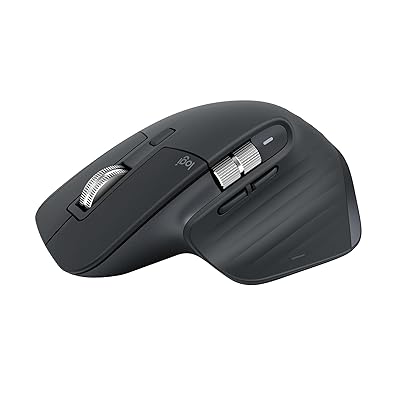 LogitechMX Master 3S BluetoothThe Logitech MX Master 3S Bluetooth is a premium productivity mouse with superb ergonomics, advanced…
 ASUS ROGSpatha XFeature-rich MMO mouse with charging dock and swappable switches, but heavy and expensive, best for…
 LogitechMX Master 2SThe MX Master 2S is a premium, right-handed productivity mouse excelling at multi-computer workflows…
Questions
Is the Logitech MX Master 4 for Mac worth it?
The Logitech MX Master 4 for Mac is a premium productivity mouse with standout haptics and scrolling, best for power users willing to invest in customization.
What do reviewers like about the Logitech MX Master 4 for Mac?
Premium haptic feedback with customizable Actions Ring. Excellent MagSpeed scroll wheel with horizontal scrolling. Comfortable ergonomic design with thumb rest. Strong wireless reliability and multi-device support. Long battery life up to 70 days.
What are the downsides of the Logitech MX Master 4 for Mac?
Expensive compared to alternatives. Right-handed only, no left-handed option. Requires Logi Options+ for full features. Learning curve for gestures and Actions Ring.
Who should buy the Logitech MX Master 4 for Mac?
Mac power users wanting customizable productivity mouse. Skip it if left-handed users or those needing simple plug-and-play.
Sources
We don't test products ourselves. This page sums up 7 published reviews, read on October 24, 2026; each point above links to the reviews that make it.
- 9to5mac.com MX Master 4 Review: Logitech's popular Mac productivity mouse just got even better - 9to5Mac
- macworld.com Logitech MX Master 4 review: Top Mac mouse gains haptic feedback features | Macworld
- appleinsider.com What's new in the latest Logitech MX Master 4 mouse for Mac?
- theguardian.com Logitech MX Master 4 review: the best work mouse you can buy | Gadgets | The Guardian
- hwbusters.com Logitech MX Master 4 (Mac Edition) Review - Hardware Busters
- logitech.com MX Master 4 Wireless Mouse for Mac | Logitech
- hour.gg Logitech MX Master 4 on Mac review